
A trojan removal tool that sees through the disguise
Trojans pretend to be something harmless: an invoice, a photo, a game crack. Threat Eraser checks every file against virus signatures and malware detection rules, flags disguised names like invoice.pdf.exe, and quarantines trojans, backdoors and remote-access tools before they can do more damage.
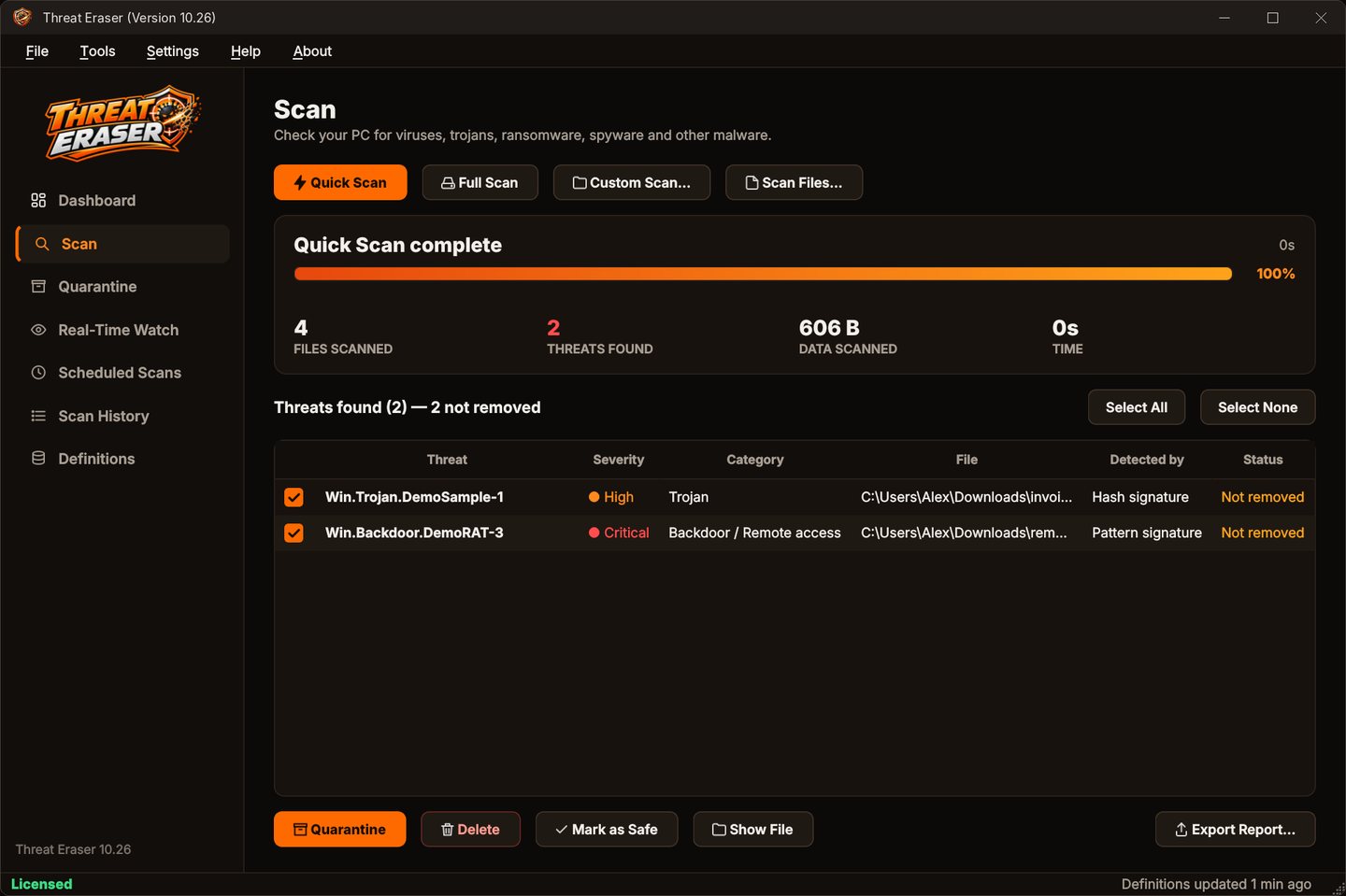
How Threat Eraser spots a trojan
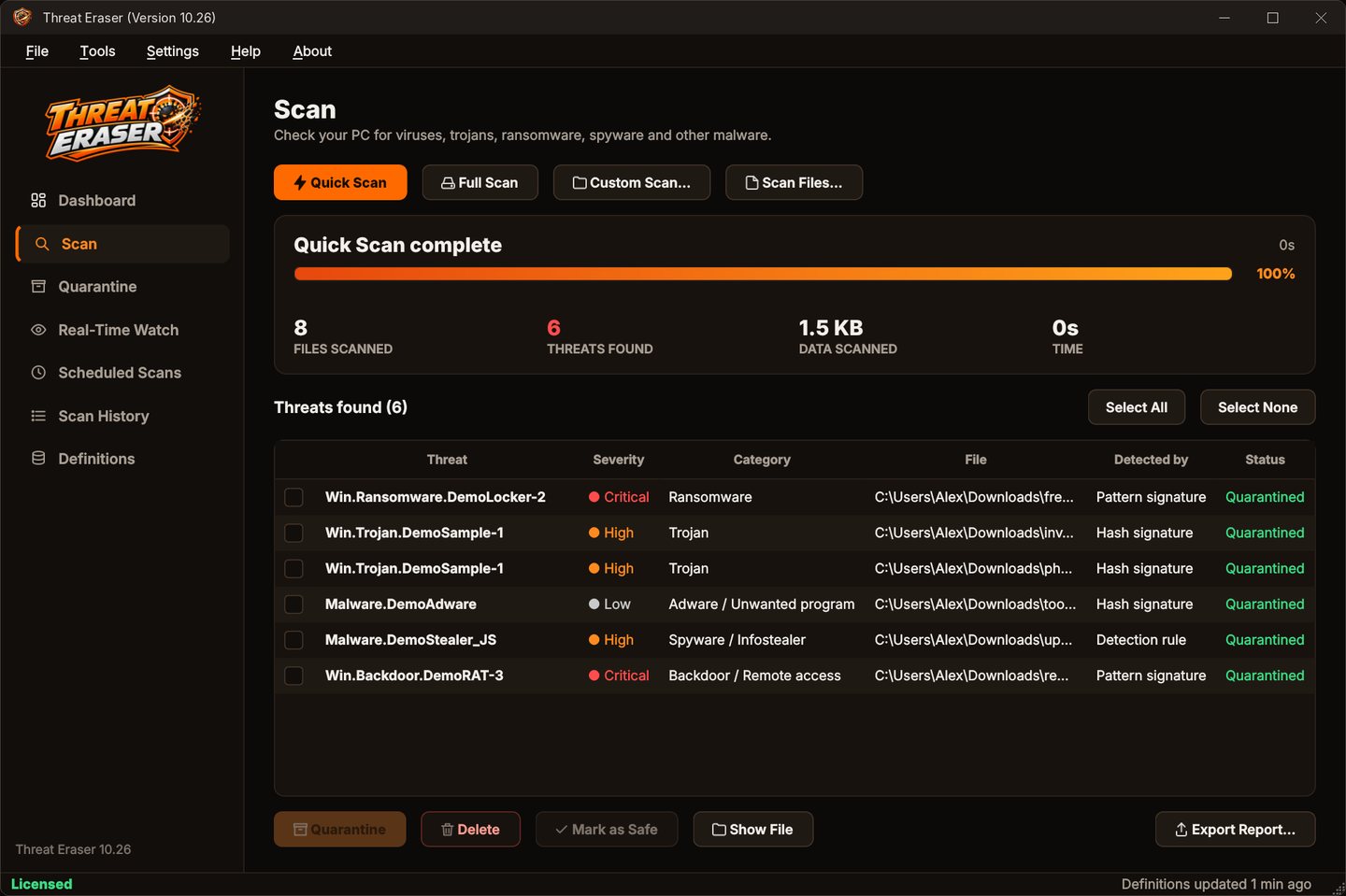
The 'Detected by' column shows which check caught it.
- Hash signatureThe file's fingerprint exactly matches known malware.
- Pattern or section signatureThe file contains code known to belong to malware.
- Detection ruleA malware detection rule recognized the malware family, so new variants are caught too.
- File-name checkThe name is disguised, for example invoice.pdf.exe pretending to be a PDF.
- Running programsQuick Scan checks every program that is running and programs set to start with Windows.
Remove a trojan in four steps
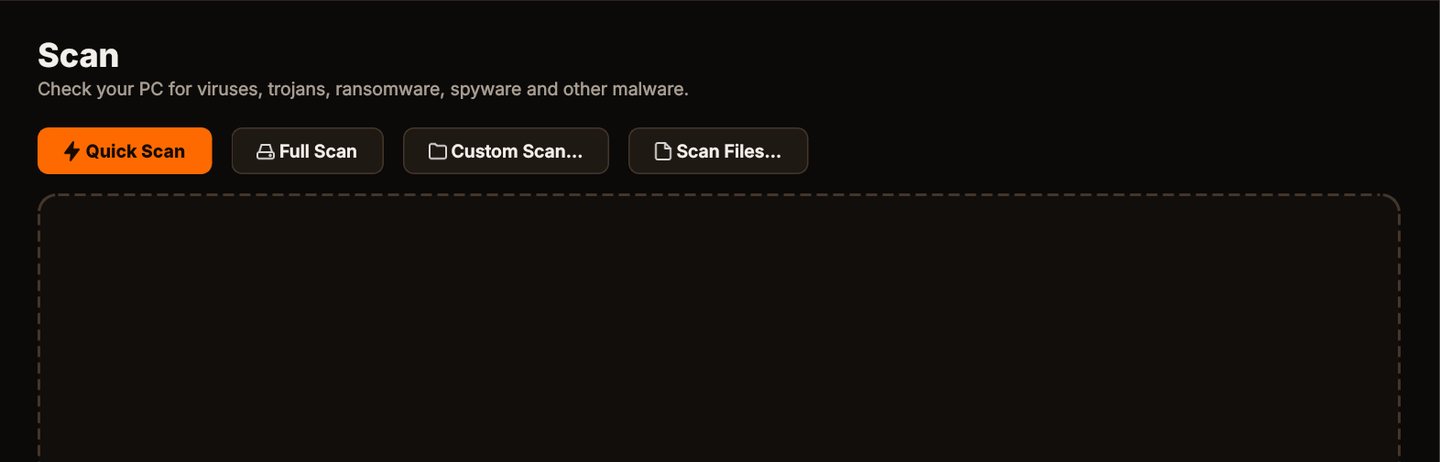
Scan
Click Quick Scan to check the places malware usually hides, or Full Scan for every file on every fixed drive.
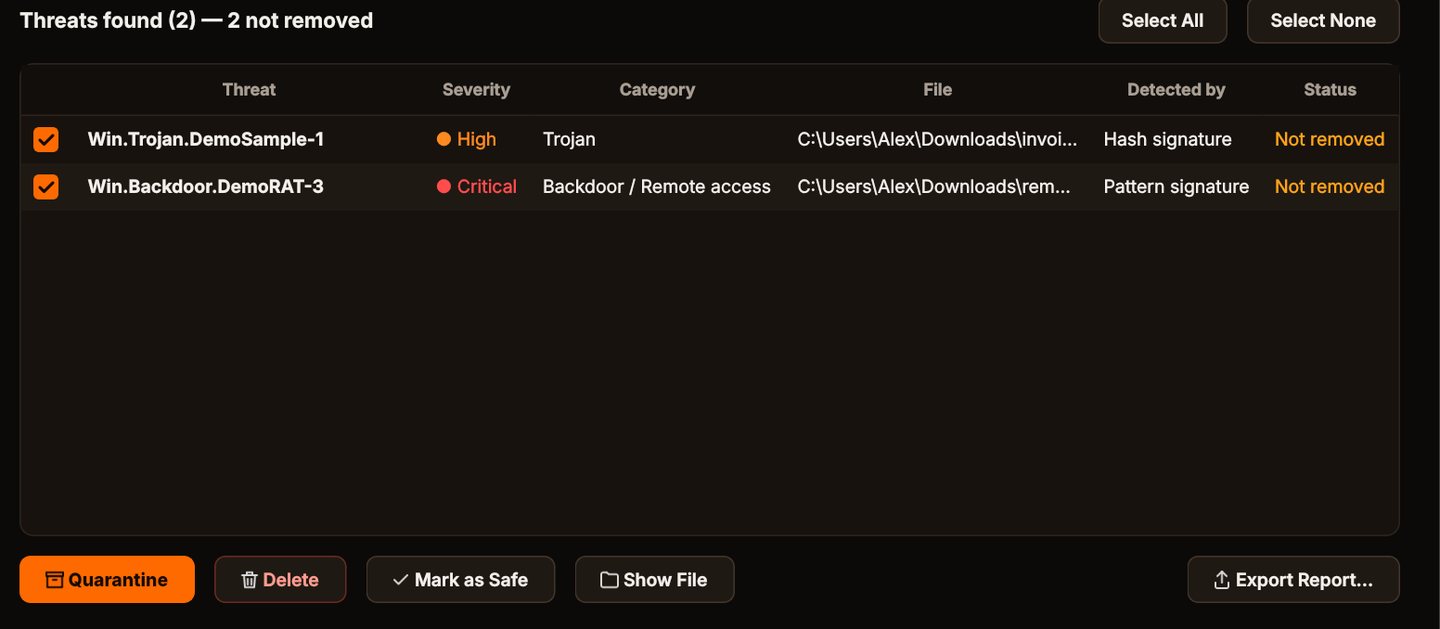
See what it found
Each threat is listed with its name, severity, category, the file and how it was detected.
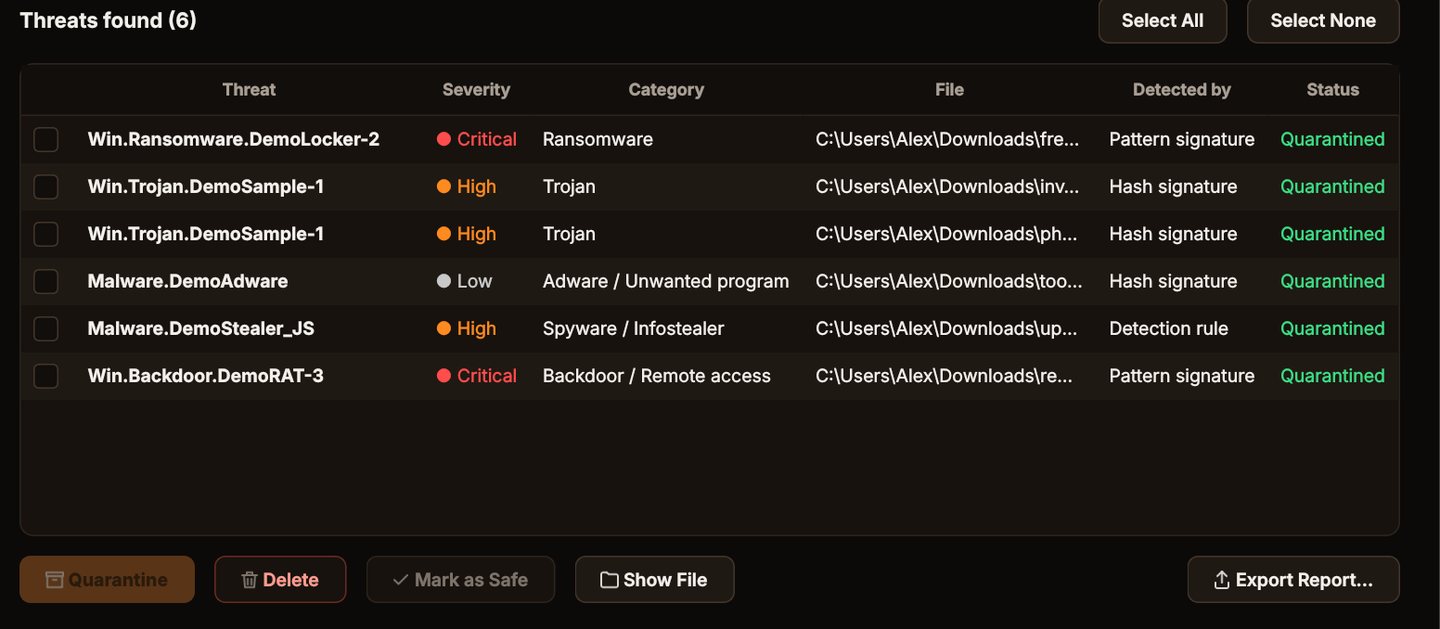
Quarantine it
Click Quarantine. The files are locked away where they can't run, and you can restore them if you need to.
Stay protected
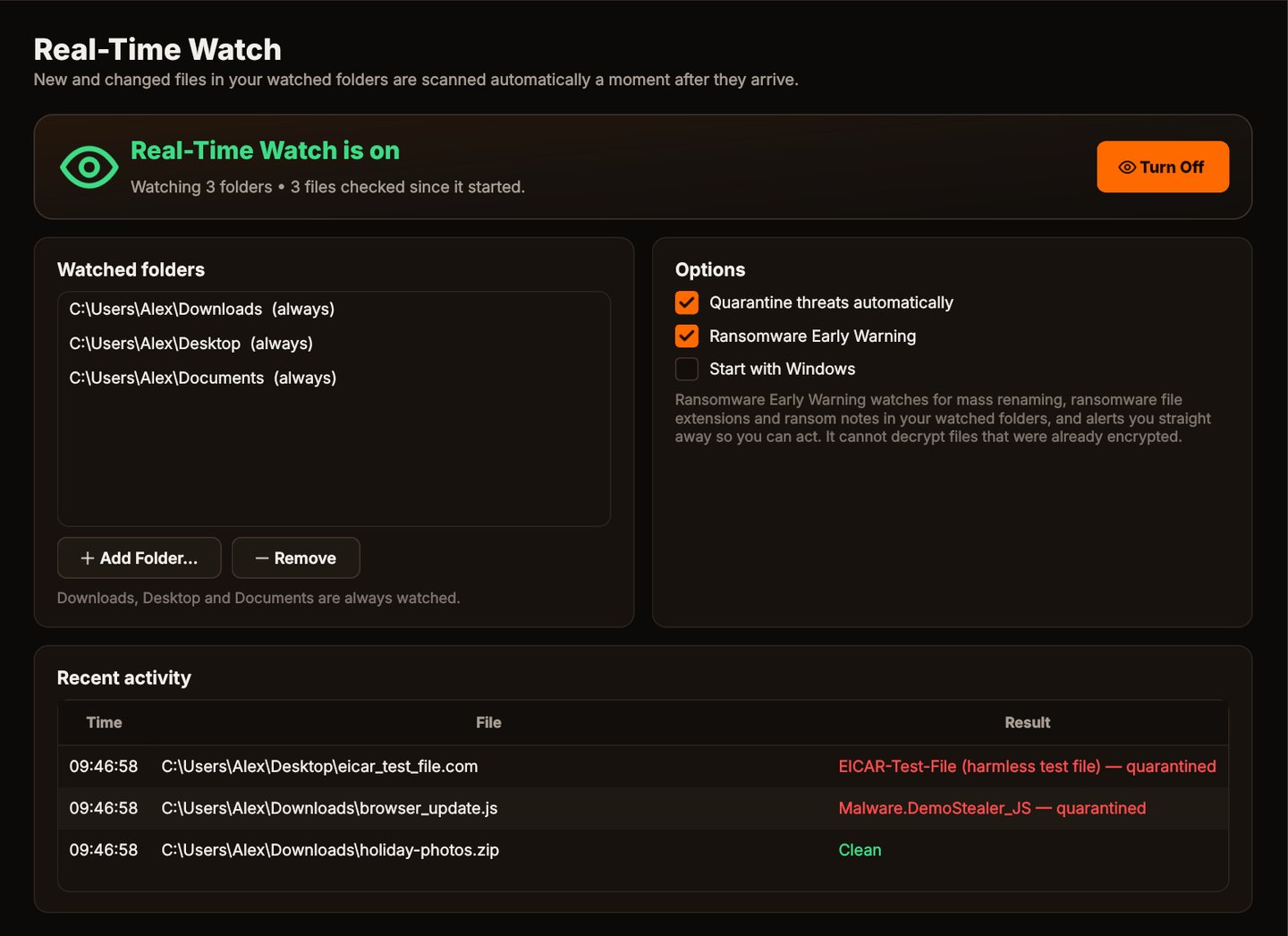
Turn on Real-Time Watch and set a weekly scheduled scan, so new files in your watched folders are checked as they arrive.
Locked away where it can't run
Quarantined trojans are encoded and kept in Threat Eraser's own folder.
Why Threat Eraser for trojans
Disguise detection
Double extensions and hidden right-to-left characters in file names are flagged.
Archives checked
Trojans hidden inside ZIP files, and ZIPs inside ZIPs, are found.
Safe quarantine
Threats are encoded and locked in quarantine, and the original is removed only after the quarantine copy has been checked. Restore anything with one click.
Real-Time Watch
New and changed files in Downloads, Desktop, Documents and any folders you add are checked a moment after they appear.
Who it's not for: Mac, Linux, Android or iPhone users. Threat Eraser runs on 64-bit Windows 10 and 11.
One license. No subscription.
One-time payment · instant download
- Definition updatesautomatic, included
- Program updatesfree
- Real-Time Watch & ransomware warningincluded
- SystemWindows 10 (1809+) / 11, 64-bit
- Activations1 PC
- Deliverydownload + key by email
Get Threat Eraser
You'll go straight to your download page once payment is confirmed, and we'll email your download link and Installation Key.
Buy license · $69.95Already purchased? Get your download link again
Trojan questions
What is a trojan?
Does it find remote-access trojans?
What if a threat can't be removed because it's in use?
Do I need any other security software?
How many PCs can I use it on?
More from Threat Eraser
Trojans can't hide in plain sight
Disguised names, archives and running programs, all checked.
Buy license · $69.95