
A trojan scanner for downloads, USB sticks and ZIPs
Most trojans arrive as a download, an attachment or a file on a USB stick. Drop it on Threat Eraser's Scan page, right-click it in Explorer, or point a Custom Scan at the drive, and every file is checked, including the ones inside ZIP archives.
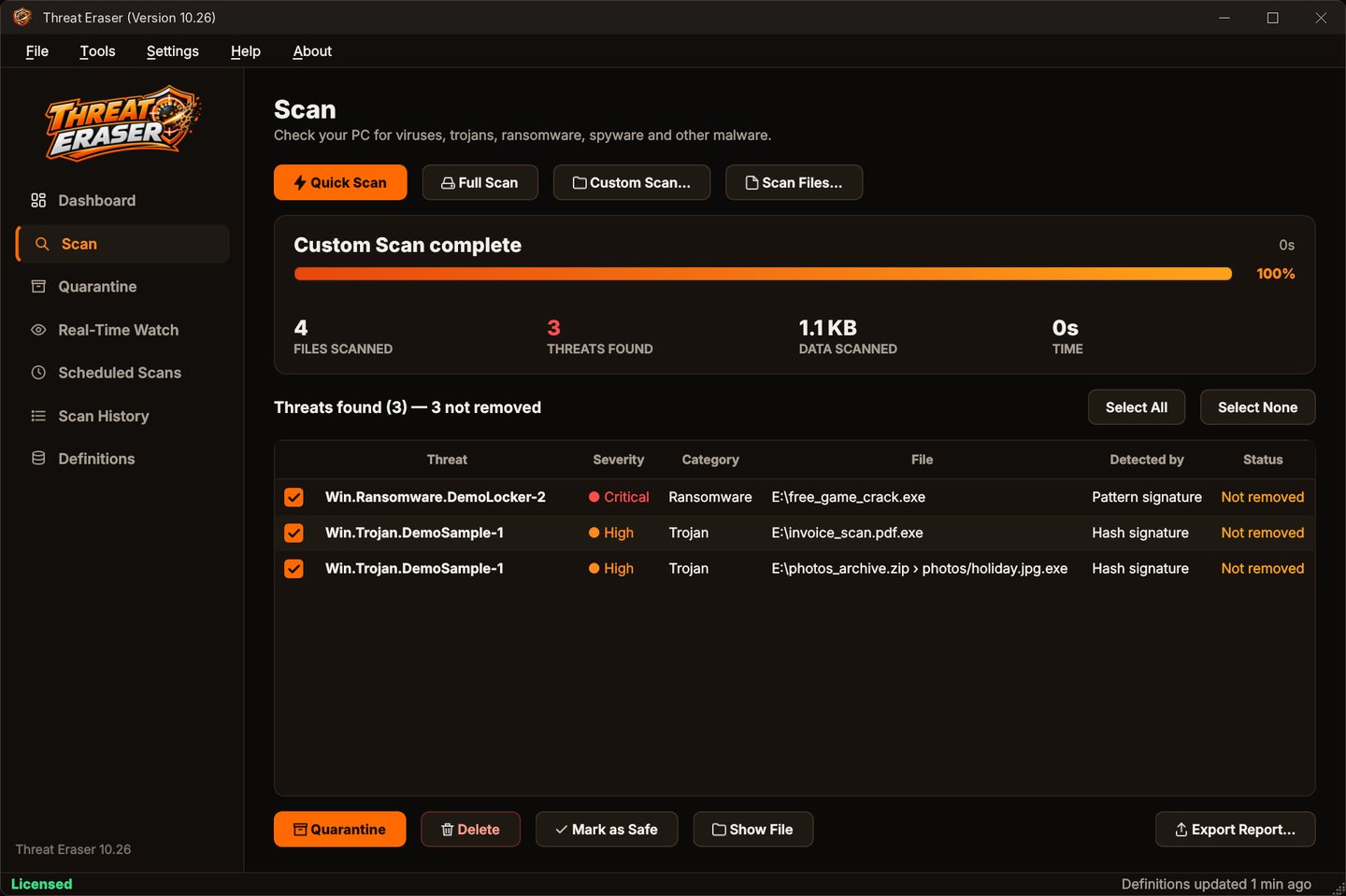
Check a file before you open it
Three quick ways.
- Drag and dropDrop files or folders onto the Scan page.
- Right-clickChoose Scan with Threat Eraser in Explorer (turn it on in Default Settings > Protection).
- Custom ScanFile > Custom Scan (Ctrl+O) for a folder or drive, Scan Files for individual files.
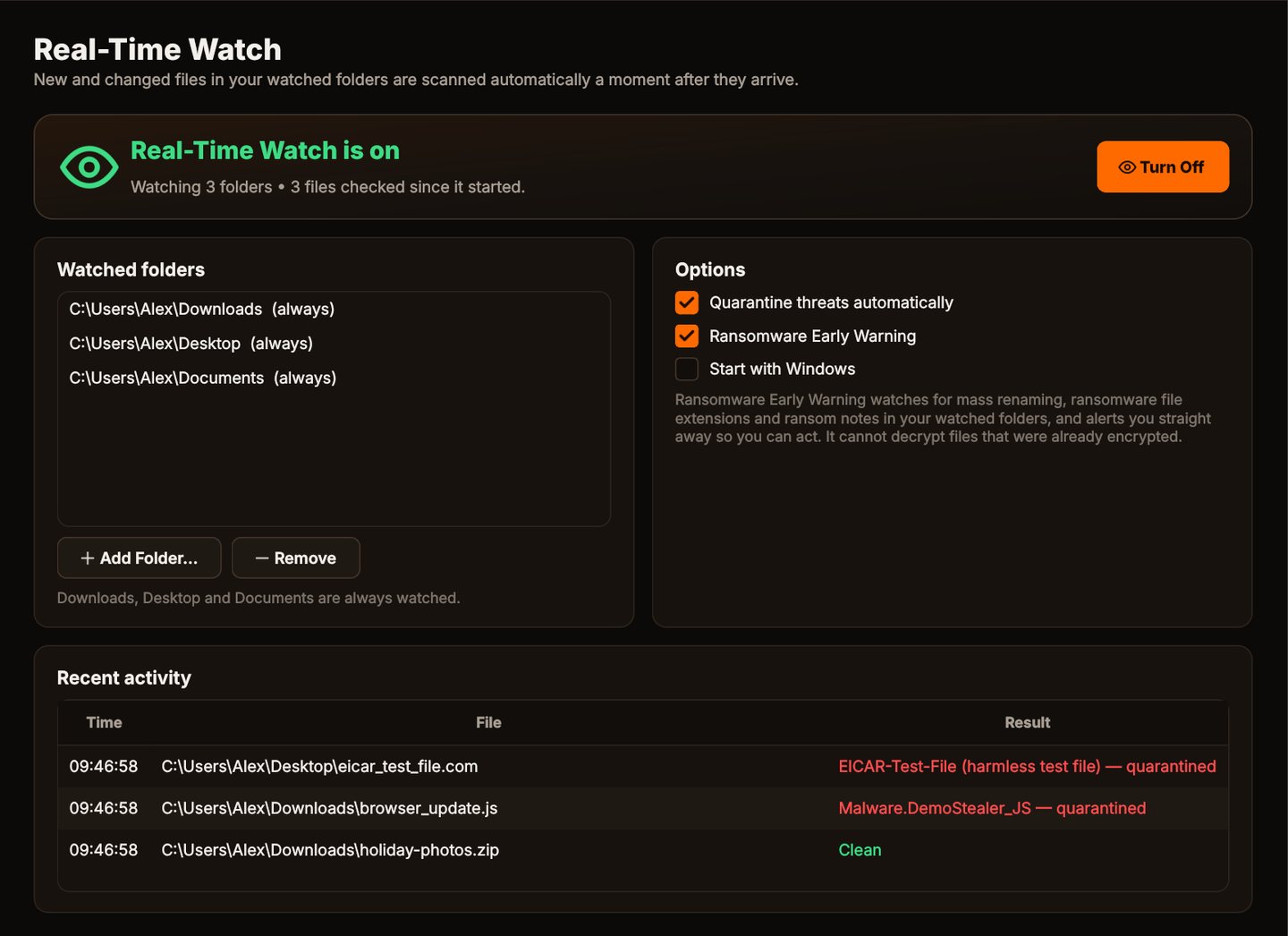
- AutomaticallyReal-Time Watch checks new files in Downloads, Desktop and Documents as they arrive.
Scan for trojans in four steps
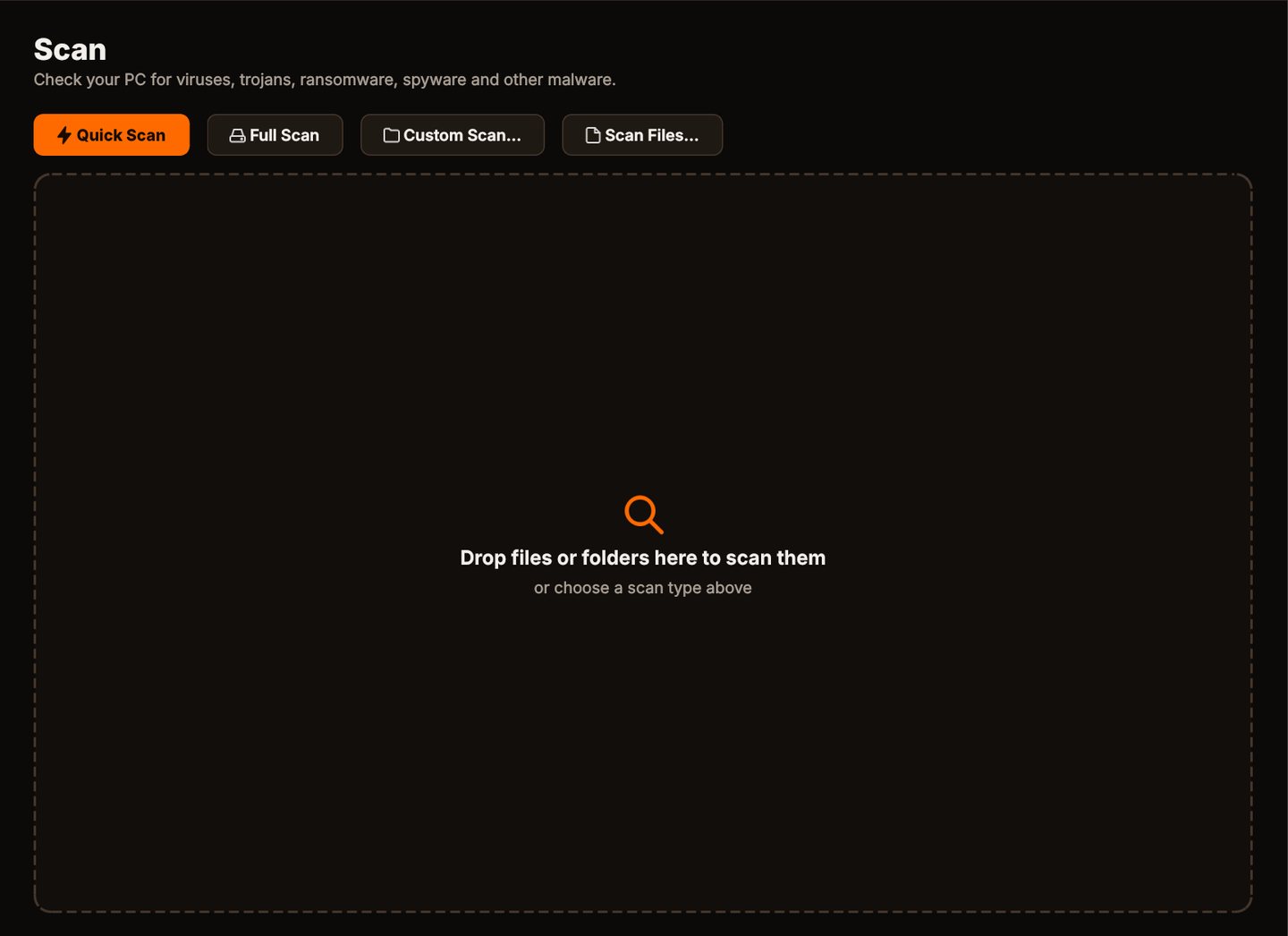
Drop it in
Drag the file, folder or drive onto the Scan page.
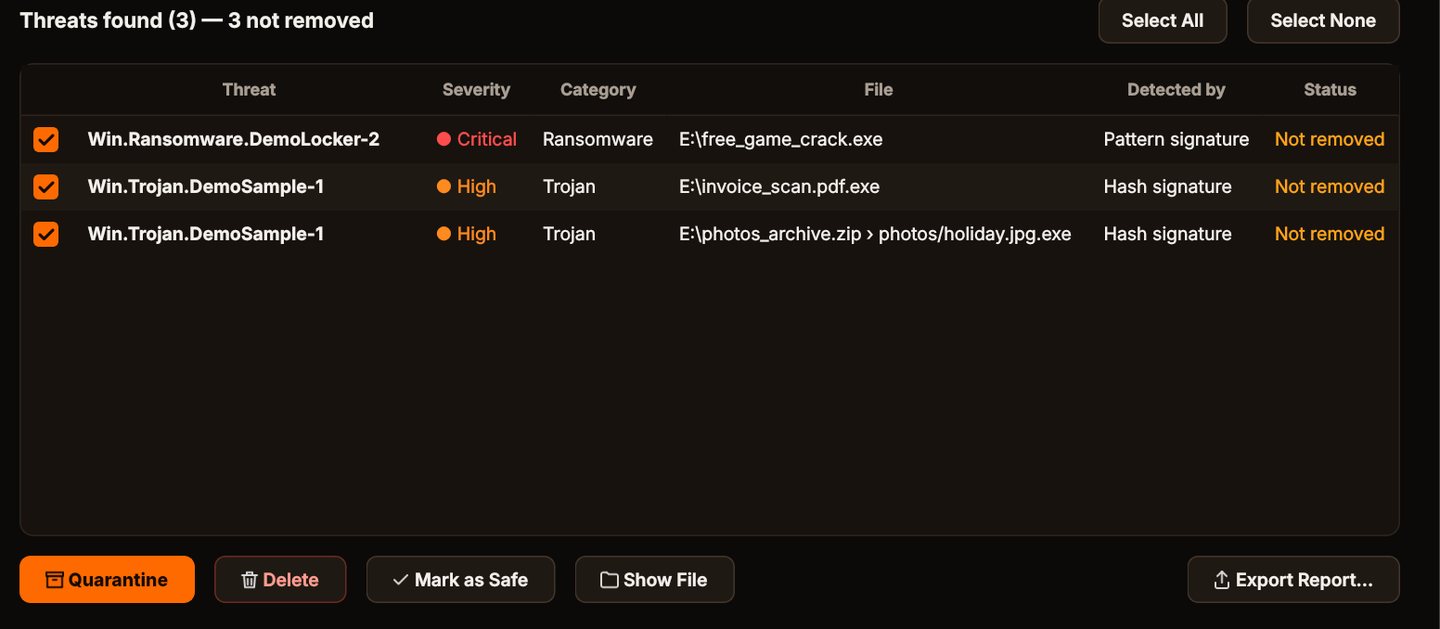
See what it found
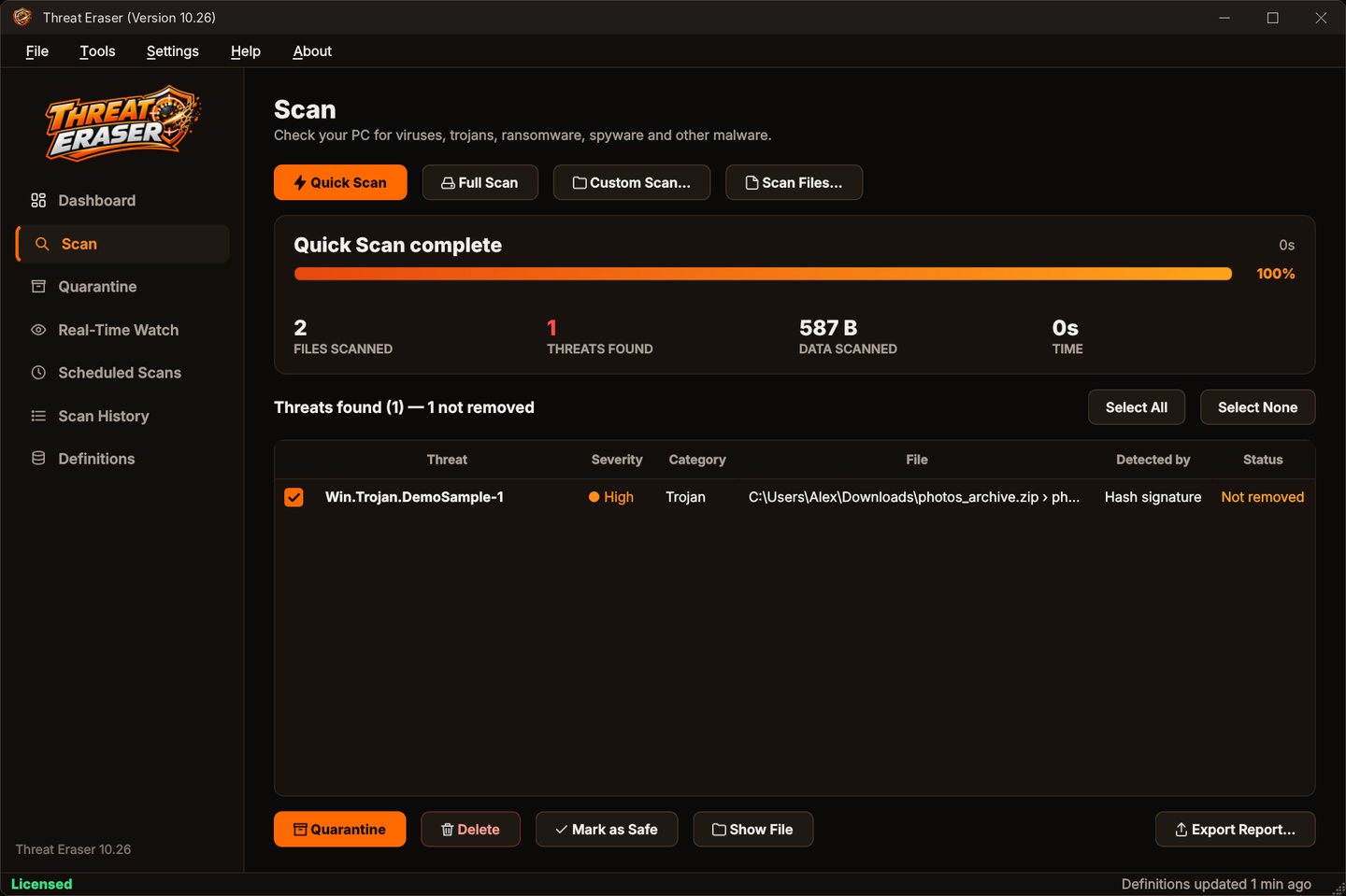
Each threat is listed with its name, severity, category, the file and how it was detected.
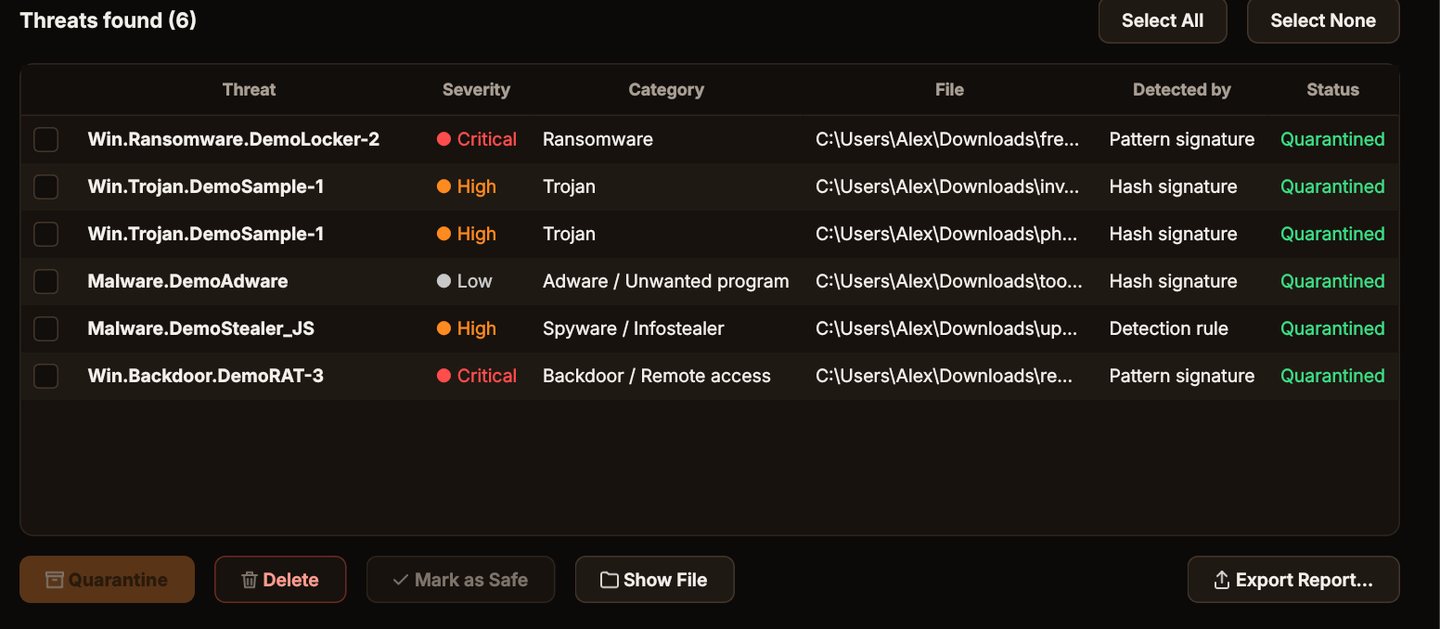
Quarantine it
Click Quarantine. The files are locked away where they can't run, and you can restore them if you need to.
Stay protected
Turn on Real-Time Watch and set a weekly scheduled scan, so new files in your watched folders are checked as they arrive.
Trojans inside ZIP files
Threat Eraser looks inside ZIP archives, and ZIPs inside those.
Why Threat Eraser for trojans
Disguise detection
invoice.pdf.exe and photo.jpg.exe are flagged even when no signature matches.
Archives
ZIP files are opened and checked, with a guard against zip bombs.
Definitions that update themselves
Virus signatures and malware detection rules update every time Threat Eraser starts and every 4 hours while it runs, and recent malware hashes too with an optional access key.
Safe quarantine
Threats are encoded and locked in quarantine, and the original is removed only after the quarantine copy has been checked. Restore anything with one click.
Who it's not for: Mac, Linux, Android or iPhone users. Threat Eraser runs on 64-bit Windows 10 and 11.
One license. No subscription.
One-time payment · instant download
- Definition updatesautomatic, included
- Program updatesfree
- Real-Time Watch & ransomware warningincluded
- SystemWindows 10 (1809+) / 11, 64-bit
- Activations1 PC
- Deliverydownload + key by email
Get Threat Eraser
You'll go straight to your download page once payment is confirmed, and we'll email your download link and Installation Key.
Buy license · $69.95Already purchased? Get your download link again